The walkthrough
One day, from the menu going up to the money being counted
Six steps, in the order they actually happen. Every screen here is a photograph of the running product with real orders in it — the seller is a working business in a Hyderabad community and the dishes are the ones she sells.
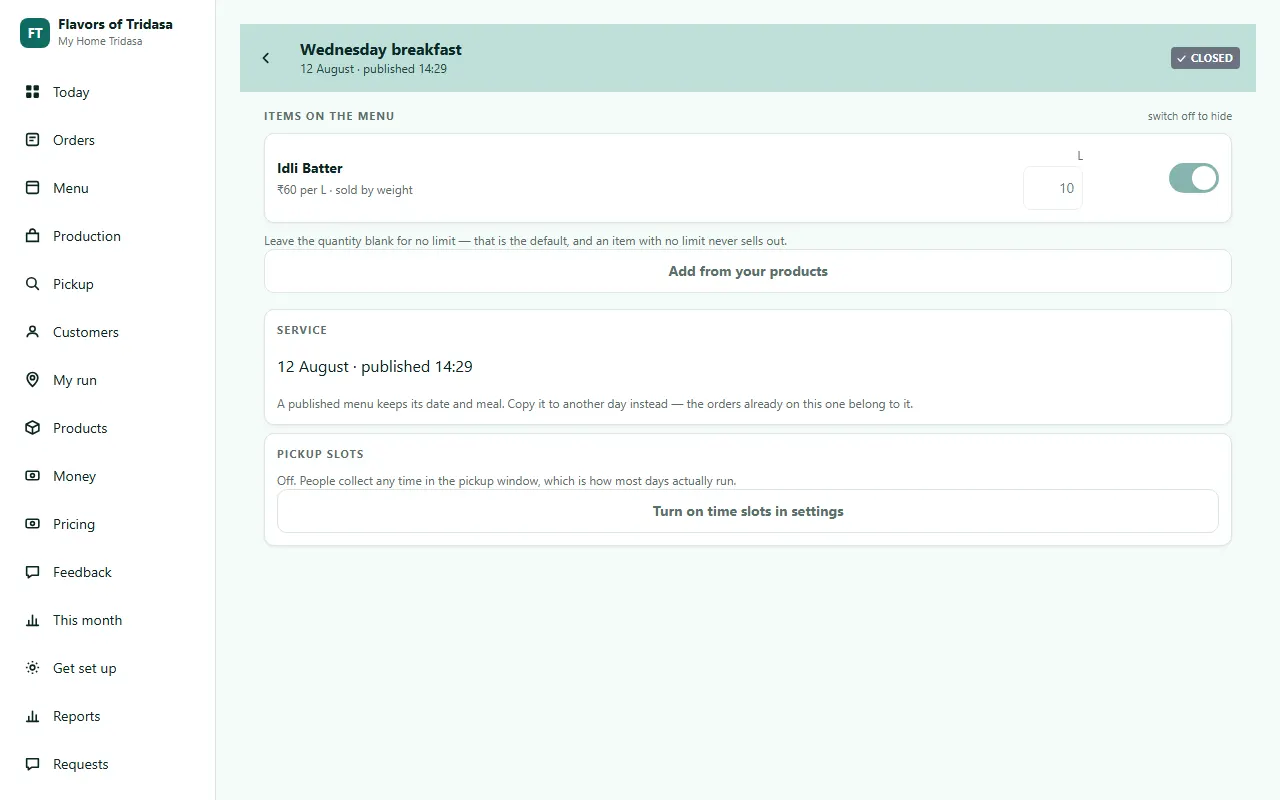
Put the menu up
Copy yesterday, change what is different, publish. You get back the link and the message to paste into your group. This is the only part of the day that looks like admin, and it is about two minutes.
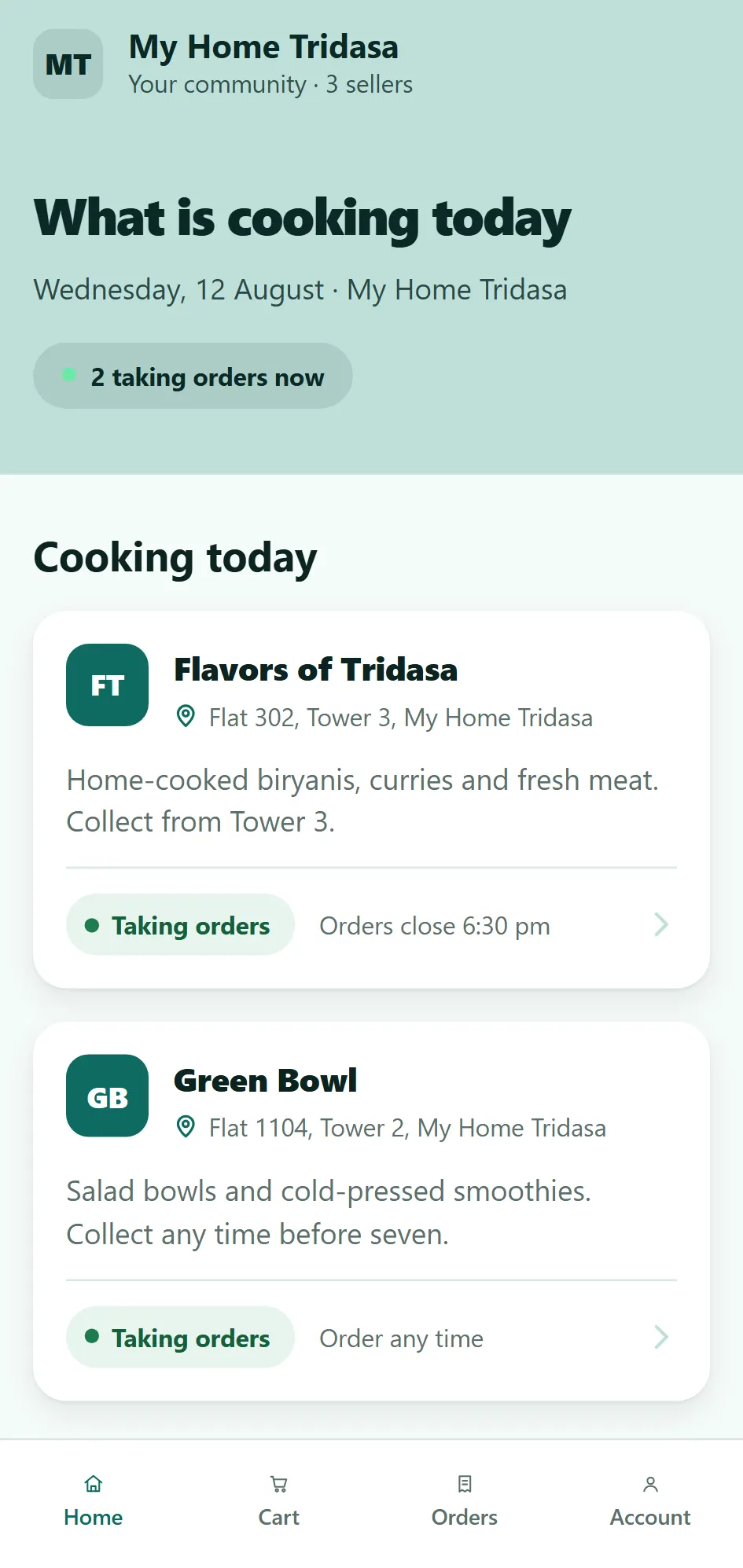
Your neighbours see it
She taps the link and she is looking at today’s food — yours, and anybody else cooking in your community. Nothing to install, no account to make. If she has ordered before, her name and flat are already known.
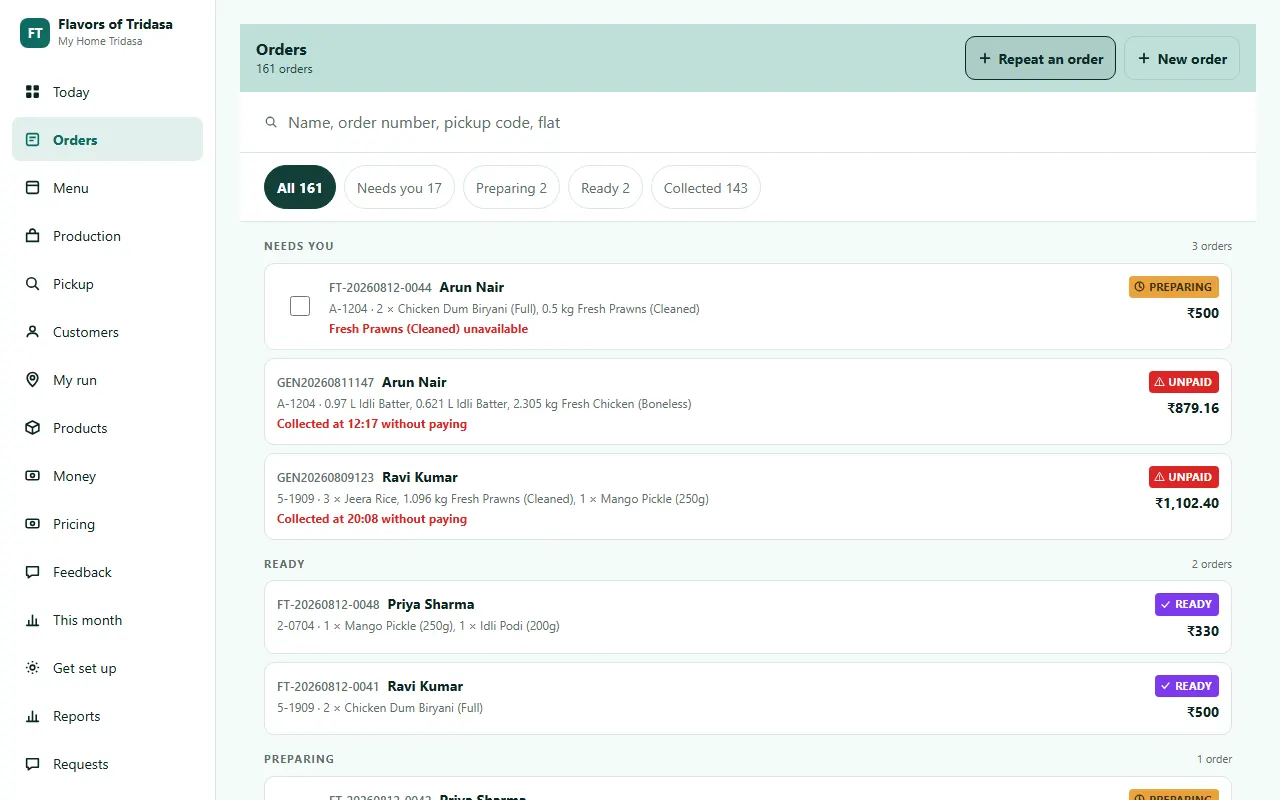
Orders arrive
Some come to the link and land here by themselves. The ones that still come on WhatsApp you put in yourself, which is about thirty seconds for somebody you know. Either way they are in one place.
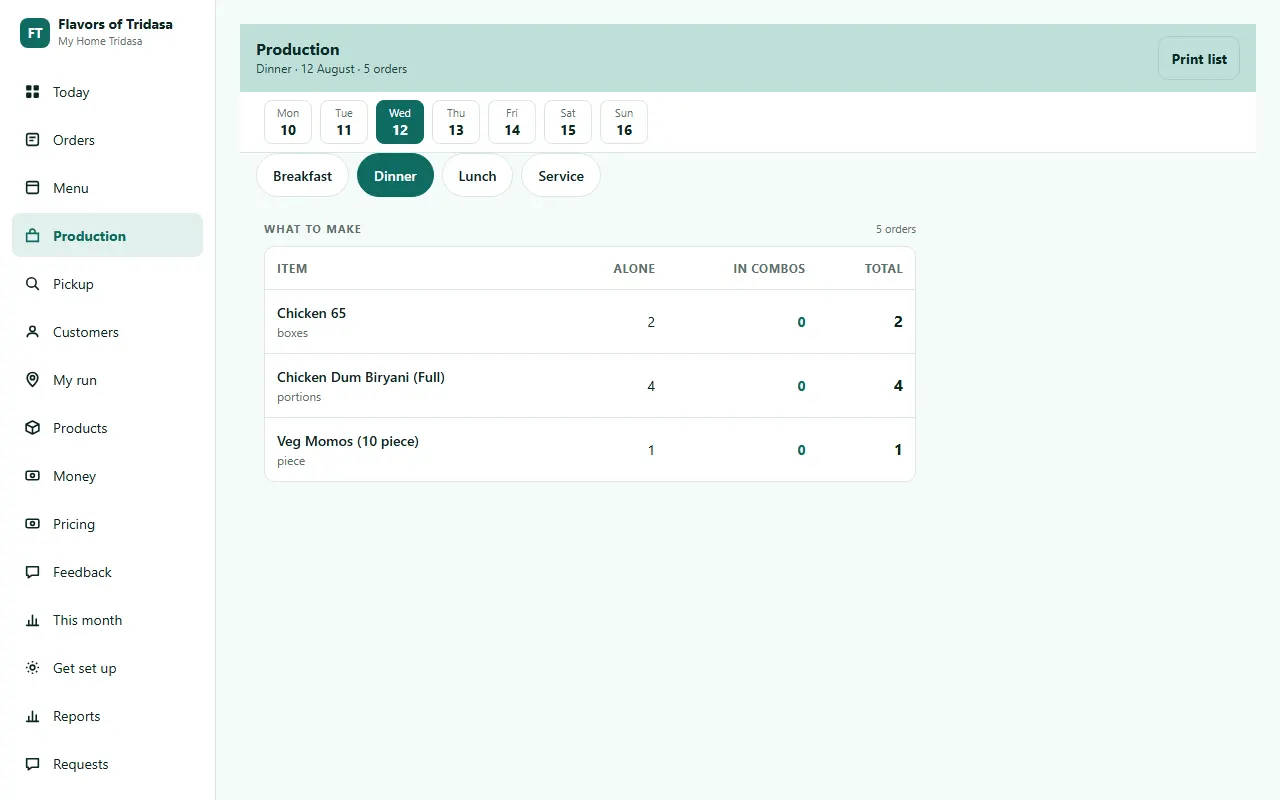
Cook from one list
Everything confirmed for this service, added up. Combos broken into their parts, weight items in kilos, allergy notes at the top. Print it and put the phone down.
Hand it over
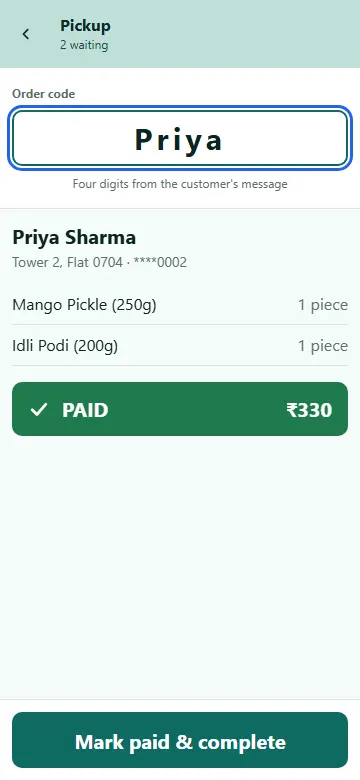
Mark the whole service ready and send one message to the group. Then it is a code at the door: one box, one result, one action, about ten seconds each.
See what you actually made
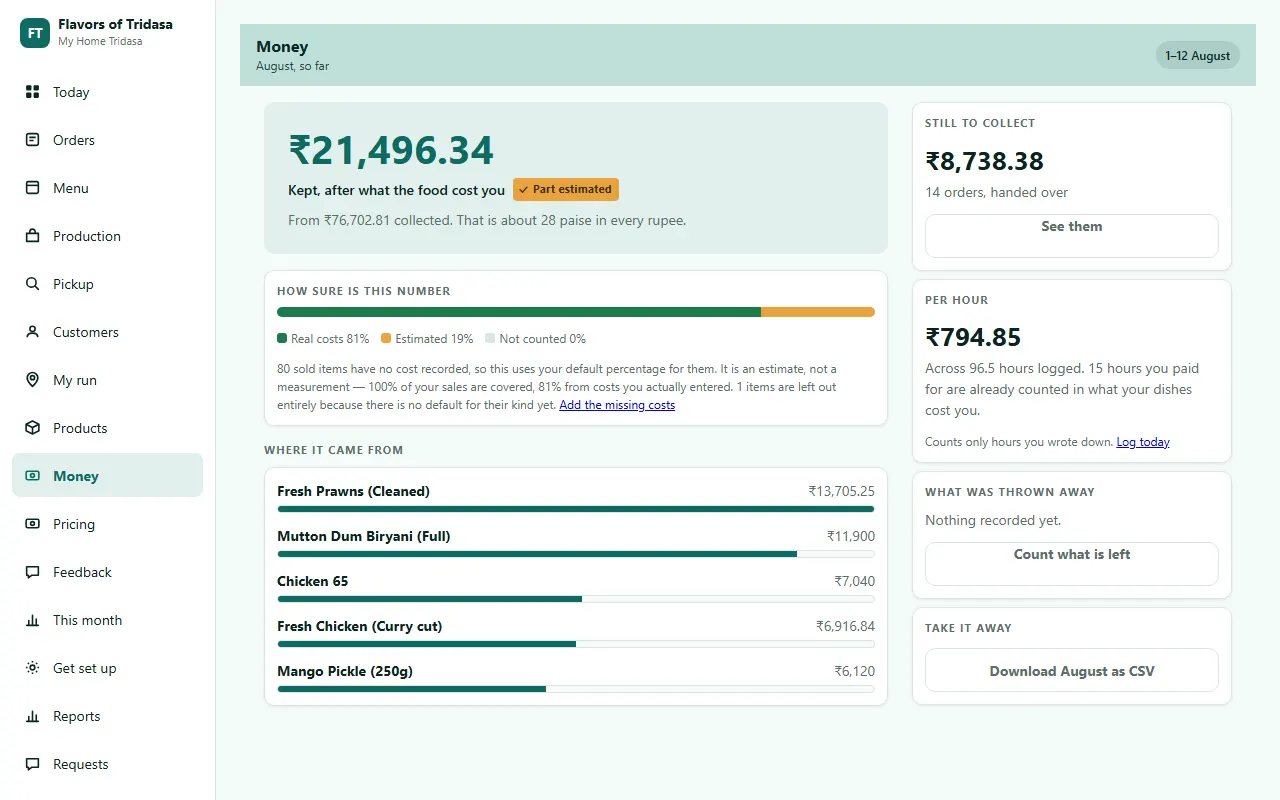
Not turnover. What is left after the chicken, the gas and the boxes — and what that came to for every hour you wrote down. With a bar saying how much of it is measured rather than estimated.
That is the whole day
The parts this skipped — costing a dish, your customer book, what your neighbours see — each have their own page.
Cooking for your neighbours already?
Tell us what you sell and where. We will reply within a working day, and we set the whole thing up sitting with you — your products, your prices, your customer list.
Free while we onboard our first sellers. No contract, no cut of your orders.